Astropad Slate Alternative — Free, Cross-Platform, No Mac Required
TL;DR — If you are searching for an Astropad Slate alternative for Windows, Linux, or Android, or a free Astropad alternative, VirtualTablet is the most flexible option. Astropad Slate costs $19.99 upfront before you can try it, and it only runs on Mac + iPad. VirtualTablet turns a compatible Android tablet, iPhone, or iPad into a graphics tablet for Windows, macOS, and Linux, the basic drawing workflow is free, and paid plans start at $1.99 / month. No Mac required, no Mac-only lock-in.
What These Apps Actually Do
Both apps belong to the same broad category: they let you reuse a device you already own as a pen input surface for your computer instead of buying a separate Wacom-style drawing tablet right away.
That said, they are not the same kind of product.
What Astropad Slate Is
Astropad Slate is a Mac-first iPad companion app. It turns your iPad into a no-screen pen tablet for your Mac — closer to a Wacom Intuos than a Cintiq. According to Astropad’s official documentation, Slate is designed for precise cursor control with Apple Pencil on a Mac.
In practical terms, Slate is aimed at people who want to:
- Control a Mac cursor from an iPad
- Use Apple Pencil for precise pointing, annotation, browsing, and design work
- Switch between mouse-like relative movement and screen-mapped absolute positioning
- Use touch gestures and handwriting-oriented workflows inside a Mac-centered setup
Slate is sold as a one-time $19.99 purchase, but the entire workflow is locked to the Mac + iPad combination. There is no Windows version, no Linux version, and no Android version, and there is no free tier — you have to pay before you can try it.
What VirtualTablet Is
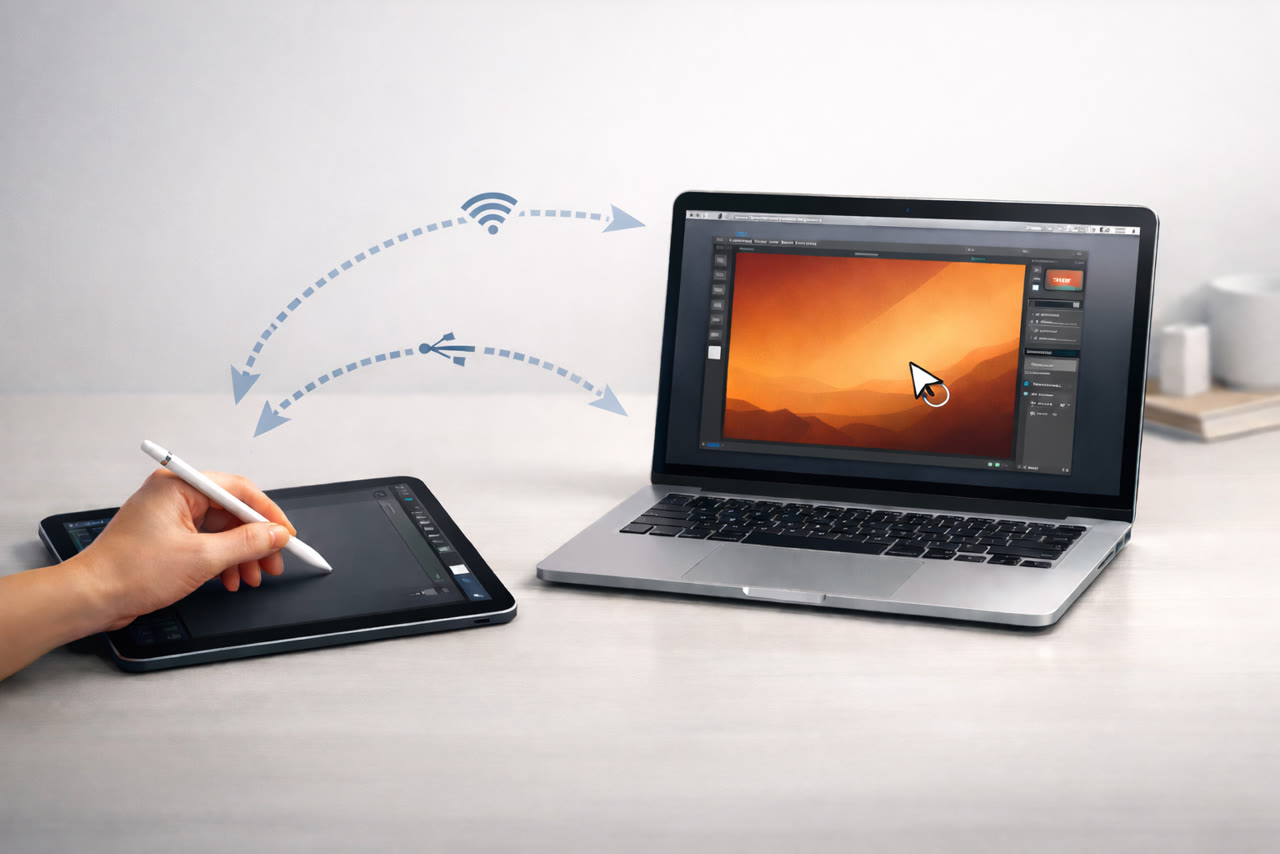
VirtualTablet is a cross-platform graphics tablet line-up. It comes in two apps that share the same goal — turning the mobile device you already own into a drawing tablet — but they use different connection styles:
- VirtualTablet (the original) — connects over WiFi or USB from an Android device (or a Windows tablet) to a Windows, macOS, or Linux computer. Requires a small server app on the computer.
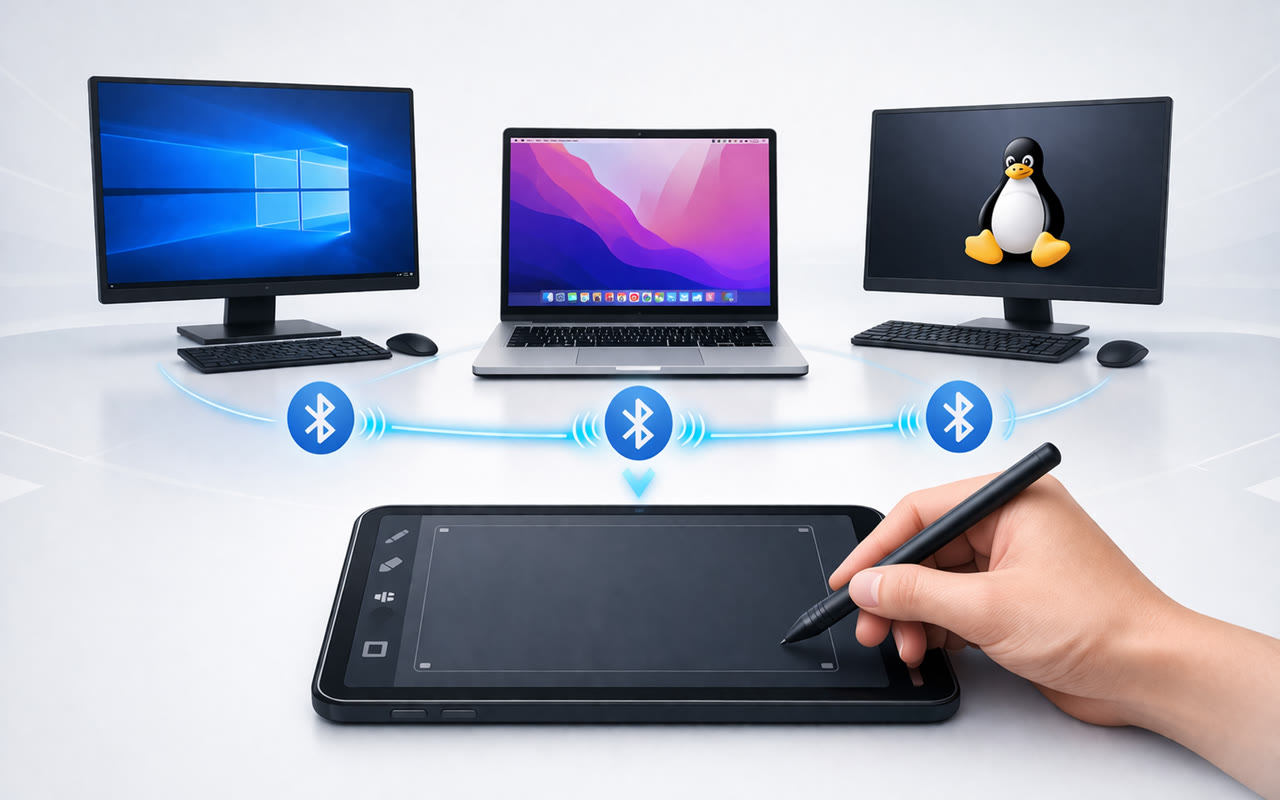
- VirtualTablet: Bluetooth — connects over Bluetooth from an Android tablet, Android phone, iPhone, or iPad to a Windows, macOS, or Linux computer. No server is needed on Windows or Linux; macOS only needs a lightweight companion agent.
The most important part for an Astropad Slate comparison: the basic drawing workflow is free on both VirtualTablet apps. Advanced features such as zoom control with scroll, customizable keyboard shortcuts, and monitor area selection are sold as separate paid upgrades — and you can rent them for as little as $1.99 / month, or own them outright with a one-time $29.99 purchase.
Astropad Slate vs VirtualTablet in Plain English
If you are new to both, here is the shortest useful distinction:
- Astropad Slate — no-screen pen tablet, $19.99 upfront, Mac only, iPad only, no free tier.
- VirtualTablet — no-screen graphics tablet, free basic features, Windows, macOS, Linux, Android, iPhone, or iPad, optional paid plans from $1.99/month.
Quick Answer
If you already use a Mac + iPad workflow and want a Mac-first pen tablet, Astropad Slate fits that specific case.
If you want a more flexible Astropad Slate alternative that supports Windows, Linux, Android, iPhone, or any mixed setup — and you want to test the core experience without paying $19.99 upfront — VirtualTablet is the better fit. The basic drawing workflow is free, and you can upgrade later only if you need the advanced extras.
Why People Search for an Astropad Slate Alternative
Looking at the search queries that lead to this page, most readers are not asking “which app is better in general”. They are asking very specific questions about platform support and cost:
- Astropad Slate alternative for Windows — Astropad Slate does not run on Windows.
- Astropad alternative for Linux — Astropad Slate does not support Linux at all.
- Astropad alternative for Android — Astropad Slate requires an iPad. It does not support Android tablets or phones in any configuration.
- Free Astropad alternative — Astropad Slate has no free tier. You must pay $19.99 before you can use it.
- Use iPad as a drawing tablet for PC — Astropad Slate cannot do this. VirtualTablet: Bluetooth supports an iPad on Windows for free for the basic drawing workflow.
VirtualTablet covers each of these cases without forcing you into a single hardware combination.
Astropad Slate vs VirtualTablet: Bluetooth
| Feature | Astropad Slate | VirtualTablet: Bluetooth |
|---|---|---|
| Computer support | Mac only | Windows, macOS, and Linux |
| Mobile device support | iPad only | Android, iPhone, and iPad |
| Linux support | No | Yes |
| Android support | No | Yes |
| Free tier | No | Yes — basic drawing workflow is free |
| Pressure sensitivity | Yes | Yes |
| Tilt | Yes | Yes |
| Server / companion app | Required on Mac | None on Windows/Linux; lightweight agent on macOS |
| Connection | Wi-Fi, Peer-to-Peer, or USB | Bluetooth |
| Lowest price to start | $19.99 (required) | $0 (free basic) |
| Lowest paid plan | n/a (one-time only) | $1.99 / month |
| Best fit | Mac + iPad pen tablet workflow | Cross-platform drawing tablet workflows |
If you specifically need WiFi or USB instead of Bluetooth, note that those connection styles are supported by the original VirtualTablet app rather than VirtualTablet: Bluetooth. Both apps share the same pricing philosophy: free basic drawing workflow, no required upfront purchase.
Pricing: Astropad Slate vs VirtualTablet
This is where the two products differ most sharply. Astropad Slate has only one way to pay and no free trial, so you have to commit $19.99 before you can use it at all. VirtualTablet lets you start for free and pick from short-term, annual, or lifetime plans based on how much you actually use it.
| Plan | Astropad Slate | VirtualTablet: Bluetooth |
|---|---|---|
| Free basic drawing | Not available | Free |
| Monthly | Not available | $1.99 / month |
| Annual | Not available | $11.99 / year |
| One-time (lifetime) | $19.99 | $29.99 |
| Cheapest way to start | $19.99 upfront | $0 |
A few things stand out from the table:
- You can try VirtualTablet: Bluetooth for free before paying anything. Astropad Slate does not offer that.
- For occasional use, VirtualTablet costs as little as $1.99 / month. Astropad Slate has no short-term plan.
- For full-time use, VirtualTablet’s one-time price is $29.99 vs Slate’s $19.99 — slightly higher in absolute terms, but you get Windows, macOS, Linux, Android, iPhone, and iPad support in return, plus a free tier to test first.
- The annual plan is the most efficient paid option — $11.99 / year works out to about $1 / month, roughly half the monthly rate. The same annual price applies on both Android and iOS.
Prices verified May 2026. Please check the App Store, Google Play, and Astropad’s site for the latest pricing in your region.
Where VirtualTablet Has the Clear Advantage
1. Wider Platform Coverage
Astropad Slate is limited to macOS + iPadOS. VirtualTablet covers every setup Slate leaves out:
- Windows laptops and desktops
- Linux workstations (a real Linux graphics tablet option — Astropad has no Linux build at all)
- Android tablets and phones with stylus support (Galaxy Note, Galaxy Tab, Galaxy S Ultra, and others)
- iPhone and iPad on the mobile side
2. No Mac Required
Many Astropad searches come from users who specifically do not have a Mac, or who do not want their workflow tied to one. VirtualTablet was designed from the start for Windows-first and mixed-OS setups:
- VirtualTablet: Bluetooth does not require any server on Windows or Linux
- macOS only needs a small companion agent
- You can keep using the same mobile app when you switch between a Windows laptop and a Linux desktop
3. Free Basic Workflow + Flexible Pricing
This is the biggest pricing difference in practice:
- Astropad Slate — $19.99 minimum to start. No free tier, no monthly plan, no annual plan.
- VirtualTablet — free basic drawing, then optional plans at $1.99 / month, $11.99 / year, or $29.99 one-time.
You can install VirtualTablet on the device you already own, draw with pressure and tilt for free, and only pay later if you specifically want zoom control with scroll, customizable keyboard shortcuts, or monitor area selection.
4. Better Choice for Mixed Apple and Non-Apple Devices
Astropad Slate assumes Apple devices on both sides. VirtualTablet is a better alternative if your real setup looks like one of these:
- Samsung Galaxy Tab + Windows laptop
- Android phone + Linux desktop
- iPhone or iPad + Windows PC
- One mobile device shared across different desktop operating systems
Where Astropad Slate May Still Be the Better Fit
To keep the comparison fair, Astropad Slate is still a reasonable choice if:
- You only use Mac and iPad and you specifically want Slate’s Mac-focused cursor and gesture workflow
- You prefer a single one-time purchase and never want to think about pricing again
- You specifically prefer Wi-Fi, Peer-to-Peer, or USB. If that matters, note that Wi-Fi and USB are also supported by the original VirtualTablet app, not VirtualTablet: Bluetooth.
Which One Should You Choose?
Choose Astropad Slate if:
- You only use Mac and iPad
- You want a Mac-focused cursor and gesture workflow with Apple Pencil
- You are happy paying $19.99 upfront without trying the app first
Choose VirtualTablet if:
- You need an Astropad Slate alternative for Windows
- You need an Astropad Slate alternative for Linux
- You want to use an Android tablet, Android phone, iPhone, or iPad
- You want to start for free and only pay later for advanced extras
- You want flexible pricing — monthly, annual, or one-time
- You want to avoid extra desktop software on Windows and Linux
FAQ
Is Astropad Slate available on Windows?
No. Astropad Slate is Mac only. If you want to draw on a Windows PC with the mobile device you already own, VirtualTablet supports Android, iPhone, and iPad on Windows, and the basic drawing workflow is free.
Is Astropad Slate available on Linux?
No. Astropad Slate does not support Linux. If you specifically need a Linux graphics tablet workflow, both VirtualTablet apps run on Linux. VirtualTablet: Bluetooth is the quickest to set up because it needs no server app at all and pairs over standard Bluetooth, while the original VirtualTablet offers a Linux server package for Ubuntu and Debian-based distributions when you prefer WiFi or USB.
Is Astropad Slate available on Android?
No. Astropad Slate requires an iPad. VirtualTablet is built around Android-first hardware (Galaxy Note, Galaxy Tab, Galaxy S Ultra, and others) and also supports iOS, so it works as an Astropad alternative for Android.
Is there a free Astropad alternative?
Yes. VirtualTablet and VirtualTablet: Bluetooth both include a free basic drawing workflow — something Astropad Slate does not offer at all. Advanced features such as zoom control, customizable keyboard shortcuts, and monitor area selection are sold as separate paid upgrades, starting at $1.99 / month.
How much does Astropad Slate cost?
Astropad Slate is $19.99 as a one-time purchase on the App Store. There is no free tier, no monthly plan, and no annual plan — $19.99 is the only way to start using it.
How much does VirtualTablet cost?
The basic drawing workflow is free. Optional paid plans for advanced features are priced as follows:
- Monthly: $1.99 / month
- Annual: $11.99 / year
- One-time lifetime: $29.99
You can install the app and try it for free before deciding which plan, if any, makes sense for you.
What about Astropad Studio?
Astropad Studio is a different category of product — it mirrors your Mac or PC screen onto your iPad, more like a Cintiq replacement than a no-screen pen tablet. VirtualTablet and Astropad Slate are both no-screen pen tablet workflows, so this guide focuses on the closer comparison.
Can I use my iPad as a drawing tablet for PC?
Astropad Slate cannot — it is Mac only. VirtualTablet: Bluetooth supports an iPad on Windows, and the basic drawing workflow is free. You only need to pair the iPad over Bluetooth.
Do I need a Mac to use VirtualTablet?
No. VirtualTablet works on Windows, macOS, and Linux. On Windows and Linux there is no server installation requirement for VirtualTablet: Bluetooth, and on macOS you only need a lightweight companion agent.
Is VirtualTablet better than Astropad Slate?
It depends on your setup. For a Mac + iPad workflow where you are happy to pay $19.99 upfront and never need Windows, Linux, or Android, Astropad Slate fits that specific case. For cross-platform setups, free trial before paying, or flexible pricing, VirtualTablet is the stronger choice.
Try VirtualTablet
Astropad, Astropad Studio, and Astropad Slate are trademarks of their respective owner. This page is an independent comparison for informational purposes. Pricing verified May 2026 and may change in your region.
Related articles
Compare Apple Pencil Pro, Apple Pencil (USB-C), Apple Pencil (2nd generation), and Apple Pencil (1st generation), including core specs, feature differences, and compatible iPads.
Learn the difference between an active stylus and a passive stylus, including hover, pressure sensitivity, tilt, palm rejection, and which stylus type works best for drawing and VirtualTablet.
Learn how to reuse an Android tablet, Galaxy device, or iPad as a drawing tablet, and check stylus, host OS, and connection requirements before setup.